

How to Protect Your Real IP Address and Stay Private Online
 Sharon
  2026.09.17
Your IP address can reveal information about your approximate location and network connection, making it an important part of your digital privacy. Websites, advertisers, internet service providers (ISPs), and other third parties can use your IP address to identify your connection and potentially track aspects of your online activity.
If you want greater control over your online privacy, one of the simplest solutions is to use a reliable VPN. PandaVPN encrypts your internet traffic and replaces your real IP address with a VPN server IP, helping you browse the internet with greater privacy and security.

Why Should You Hide Your Real IP Address?
Every time you connect to the internet, your device communicates through an IP address assigned by your ISP or network provider. Your IP address can be used to determine your approximate geographic location and distinguish your connection from others.
Hiding your real IP address can help reduce unwanted tracking, protect your connection on public Wi-Fi, and give you more control over your virtual location. It can also help prevent websites and online services from directly identifying your usual network connection.
However, simply changing your IP address is not enough. A secure VPN should also encrypt your traffic and protect your data while it travels between your device and the internet.
How PandaVPN Protects Your Real IP Address
1. Encrypts Your Internet Traffic
PandaVPN creates an encrypted VPN tunnel between your device and its VPN server network. Your internet traffic is protected before it travels across the network, helping prevent unauthorized parties on the same network from easily monitoring your connection.
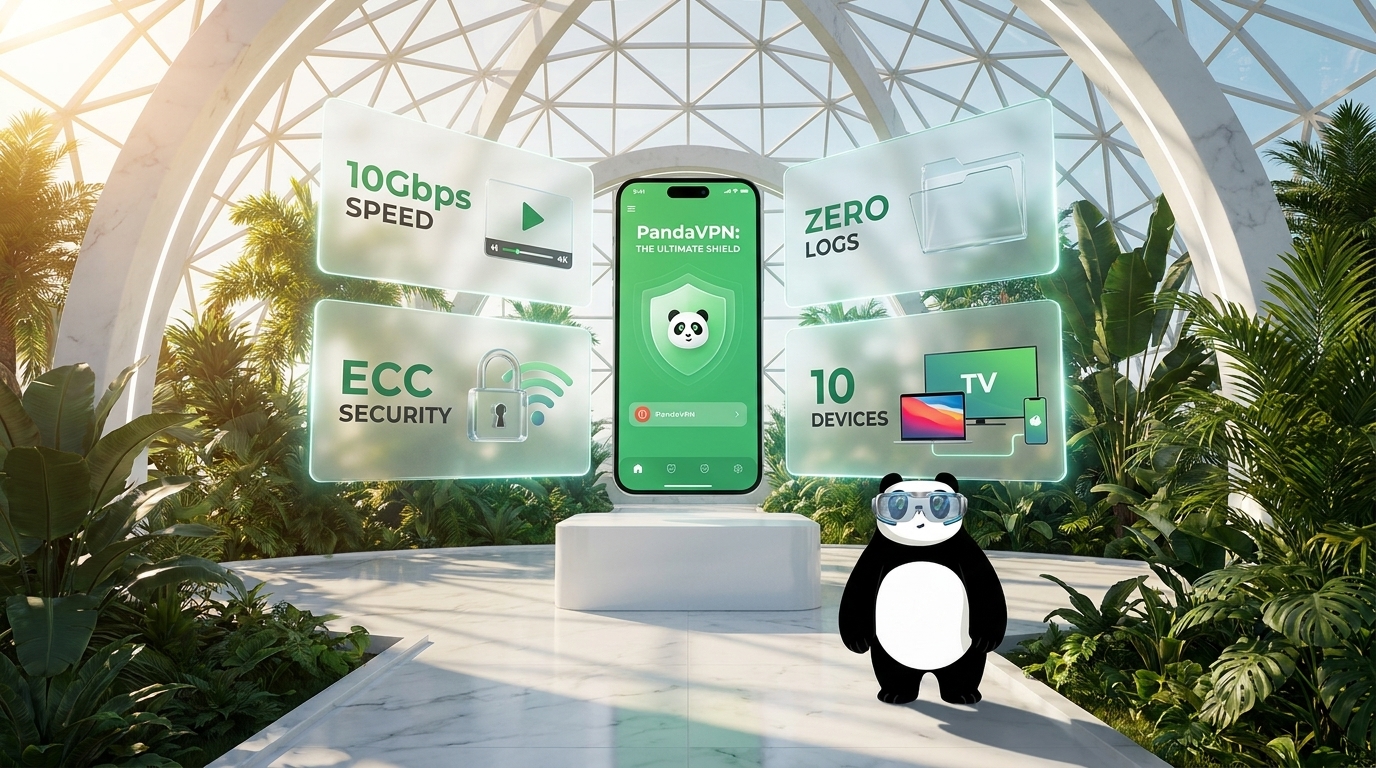
PandaVPN supports advanced security technologies and protocols, including ECC encryption, WireGuard, OpenVPN, and proprietary connection modes, giving users flexible options for balancing security, speed, and connection stability.
Once connected, websites and online services see the IP address of the VPN server rather than your original IP address.
2. Masks Your IP Address With a Global Server Network
PandaVPN operates 6,000+ high-speed servers across 224 locations in 100 countries, allowing you to select a virtual location that fits your needs.
Instead of exposing your regular IP address, your online connection appears to originate from the VPN server you choose. With locations around the world, you can easily switch between virtual locations whenever you need to.
PandaVPN’s optimized network is also designed to provide reliable performance, helping maintain a stable connection while protecting your online identity.
3. Uses High-Speed Network Infrastructure for Stable Connections
Privacy shouldn’t mean sacrificing performance.
PandaVPN combines its global server network with 10Gbps ultra-fast servers and optimized network routes to deliver fast and stable VPN connections. For users who need consistently low latency, PandaVPN also offers IPLC dedicated lines, which can help improve international connection stability and reduce routing-related latency.
Whether you’re browsing websites, streaming video, playing online games, or working remotely, PandaVPN is designed to provide a balance between privacy and performance.
4. Protects Your Connection on Public Wi-Fi
Public Wi-Fi in airports, hotels, cafes, and shopping centers can expose your connection to additional security risks, especially when the network is unsecured or poorly configured.
When you connect to PandaVPN, your traffic is encrypted through the VPN tunnel before reaching the wider internet. This adds an important layer of protection when using networks you don’t fully trust.
For additional security, PandaVPN’s Kill Switch can help prevent your device from sending internet traffic outside the VPN connection if the VPN connection unexpectedly drops.
5. Supports a Strict No-Logs Approach
A VPN should protect not only your connection but also your privacy.
PandaVPN follows a No-Logs policy, designed to minimize the collection and retention of information related to users’ online activities. This means your VPN service is not intended to build a detailed record of the websites you visit or the content of your online activity.
For privacy-conscious users, choosing a VPN with a clearly defined privacy policy is an important part of protecting their digital footprint.
6. Gives You More Control With Split Tunneling
Sometimes you don’t need every application to use a VPN connection.
With Split Tunneling, PandaVPN allows supported devices to route selected apps or traffic through the VPN while other applications continue using the regular internet connection.
This can be useful when you want to protect specific online activities while maintaining direct access to local services, websites, or devices.
How to Hide Your Real IP Address With PandaVPN
Getting started takes only a few steps.
Step 1: Download PandaVPN
Install PandaVPN on your preferred device. PandaVPN supports major platforms, including Windows, macOS, iOS, Android, Linux, Apple TV, and Android TV.
Step 2: Choose a VPN Server
Open PandaVPN and select a server location from the available global network. You can choose a location based on your privacy, streaming, gaming, or connection requirements.
Step 3: Connect With One Click
Tap or click the Connect button. Once the VPN connection is established, your internet traffic is routed through the selected PandaVPN server and your public IP address is replaced by the server’s IP address.
Step 4: Verify Your New IP Address
You can use any reputable IP-checking website to confirm that the public IP address shown online is different from your original connection.
Protect Your IP Address Across All Your Devices
Your IP address isn’t only exposed when you use a computer. Smartphones, tablets, smart TVs, and other connected devices also communicate with the internet.
PandaVPN provides multi-platform support so you can protect your online connections across different devices with one VPN service. Whether you’re browsing on your laptop, checking email on your phone, watching content on a smart TV, or gaming on another device, PandaVPN makes it easy to establish a protected VPN connection.
Protect Your IP Without Compromising Performance
Hiding your IP address shouldn’t require you to choose between privacy and speed.
With 6,000+ servers, 224 locations, 100 countries, 10Gbps ultra-fast servers, optimized routes, WireGuard support, and IPLC dedicated lines, PandaVPN is built to provide a fast and reliable VPN experience alongside enhanced online privacy.
By connecting to PandaVPN before going online, you can mask your real IP address, encrypt your internet traffic, reduce exposure on untrusted networks, and take greater control over your virtual location.
Protect your real IP address with PandaVPN and enjoy a more private, secure, and flexible internet experience.

Related Posts


Featured Posts