

Are VPNs Safe to Use? 5 Facts about VPN Security
 Tony Bennett
  2021.10.09
VPN is an internet security service that creates a virtual tunnel between you and the public network. Inside the tunnel, your personal information and online activity are said to be private. What makes a VPN protect your online traces private? Are VPNs safe really? Let’s explore this together.

1. Secure VPN hides your IP address.
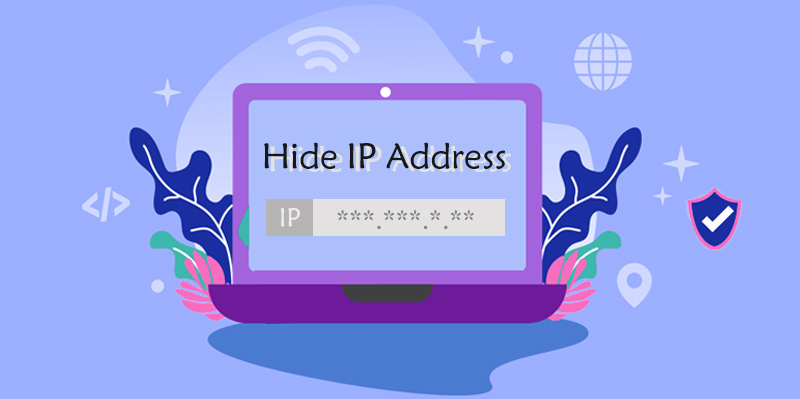
An IP address acts as your mailbox in the internet world. The leakage of your IP address can reveal your location, as well as your browsing history and account information. More seriously, your personal identity will be exposed.
A secure VPN should hide your IP address. When you connect to the internet via a VPN, your real IP address will be replaced by the IP address provided by the VPN’s servers. Usually, VPN providers have hundreds and thousands of servers around the world to offer.
By masking your real IP address, the government agencies, ISP (internet service provider), the sites you visit, apps you use, or hackers will no longer have access to your online privacy.
2. Zero-log policy makes a VPN privacy-friendly.
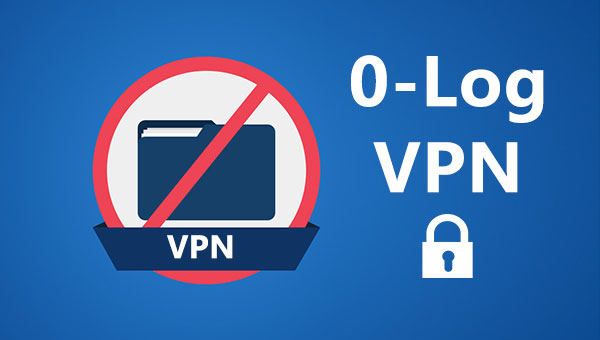
When you use a VPN, your ISP can’t see what you are doing online, but your VPN can. Therefore, it’s important to select a no-logging VPN. With a zero-log policy, VPNs have nothing to provide even if they are unfortunately invaded.
Secure VPNs don’t record the logs of your connection and activity. Connection logs include the incoming and outgoing connections of a VPN and the connection start and end times. Some VPNs will store this type of data to maintain its technical support. Activity logs are the records of your online search history, downloaded files, traffic data, data content, and DNS queries.
Pay attention that actually most VPNs will store users’ personal information, covering the user name, email address, and payment details. But secure VPNs will make their privacy policies transparent to their users and take action in the event of a data leak.
Before paying for a VPN, you should check the provider’s terms of service to see what they do with your personal details. Some VPN providers will clean logs periodically. Others may disclose them in certain circumstances.
In practice, VPN providers operating under certain regional jurisdiction frameworks may be subject to local data retention requests. Therefore, it is advisable to choose providers based in privacy-respecting jurisdictions with strict data protection frameworks and independently audited zero-log practices.
3. VPN encrypts your traffic with encryption technology.
Secure VPNs use encryption technology to encrypt your online privacy, preventing anyone from snooping them.
Your sensitive information, like the user name, email address, password, and bank account details, is encrypted by the VPN encryption algorithm. Also, your browsing activities are private to yourself. The government, ISPs, or hackers have no access to them.
AES-256 is the strongest encryption standard, which is used by most trusted VPN service providers. More importantly, AES has been adopted by the US government.
Except for AES-256, ECC (Elliptic Curve Cryptography) is a reliable encryption method as well. With 256 bits of key length, ECC is the strongest asymmetric encryption algorithm.
4. VPN protocols further ensure VPN security.
VPNs are based on security protocols that determine how data is routed through a connection. Some VPN protocols emphasize connection speed while others focus on privacy and security. Secure VPNs often use protocols that offer more privacy and security. The followings are the most common VPN protocols:
| Pros | Cons | |
| OpenVPN | • Bypass most firewalls • Strongest encryption • Balance safety and speed • Open-source |
• Hard to set up • Require third-party software • Work better on desktops |
| SSTP | • Bypass most firewalls • Good encryption • Windows-friendly |
• Work on Windows-only platforms • Not open source |
| PPTP | • Fast • Easy to set up • Work on most platforms |
• Not completely secure |
| L2TP | • Paired with IPsec, it’s considered secure • Easy to set up • Work on almost all platforms and operating systems |
• Can’t bypass restrictive firewalls |
| IKEv2 | • Secure • Stable connection • Easy to set up • Faster than L2TP, PPTP, and SSTP |
• Available on limited platforms • Not open source |
Due to the use of AES-256-bit key encryption with 2048-bit RSA authentication and a 160-bit SHA1 algorithm, OpenVPN is definitely a secure protocol. There are two types of OpenVPN protocol. OpenVPN TCP support should be prioritized for security, while OpenVPN UDP is more useful to maximize speeds.
SSTP uses 2048-bit SSL/TLS certificates for authentication and 256-bit SSL keys for encryption. One of the oldest VPN protocols, PPTP ensures the best connection speeds but has many security issues.
L2TP is also a protocol that provides good speeds and little encryption. However, paired with security protocol IPsec, L2TP is safe to use. IKEv2 supports a variety of ciphers like 30ES, AES, and AES 256 to ensure encryption and authentication.
5. A Kill Switch improves a VPN’s reliability.
A kill switch improves a VPN’s security. When your VPN connection drops suddenly, your internet access will be vulnerable to attack. Your IP address and browsing history will be at risk of being exposed again. With a kill switch, VPN will automatically quit pre-selected programs if the connection turns to be unstable.
Is there a security risk even if you use a VPN?
A VPN shields your IP address and encrypts your browsing history, but it doesn’t protect you from unsafe websites. Moreover, a VPN is designed for privacy protection and data security, meaning it does not exempt users from following local laws, regulations, and terms of service. VPNs do not shield or endorse any unauthorized or non-compliant online behavior.

Generally speaking, you are still at risk of trojans, bots, malware, spyware, or viruses even though you are using a VPN. You can use a VPN together with anti-virus software to ensure maximum security.
Are free VPNs safe to use?
Relying on a free VPN can introduce significant trade-offs regarding your online security. Free VPN services often involve compromises in user privacy. They record your personal information and online activities. To turn a profit, they may sell users’ information and online browsing history that they record without their users’ permission.
Usually, free VPNs come with endless advertisements that are not only annoying but also dangerous. Viruses may hide behind the ads. Fake and fraudulent ads may even cause property losses to their users.
Furthermore, free VPNs can only offer very slow speed and the connections are unstable. Because usually, there are hundreds of users sharing just one server. They can’t afford the cost to deploy many servers as the maintenance of a server is not cheap.
Conclusion
Are VPNs safe? Yes, VPNs secure your online privacy, protecting your personal information and browsing history. However, note that no VPN can shield you from unsafe websites or non-compliant activities. Additionally, free VPN options often carry hidden trade-offs regarding data privacy and security.. There is a price to pay for using a free VPN. They record your identity details and internet traces.

A tech enthusiast who currently works for PandaVPN enjoys sharing VPN and tech industry information and is passionate about helping others solve their problems.
Related Posts


Featured Posts